Hunger is an important part of animal survival games, but how do you code it? In this blog post, I will go over how to create the code for making them eatable and allowing only certain animals to eat certain foods.
Before we get into the coding, the Hunger system is not my own. You can watch the video by CovertCode on YouTube.
The first thing you will want to do is create a Meat slab and a Bush. Make sure the leaves are seperate from the wood, as the leaves will disappear after being eaten enough, leaving just the wood. Once you have created them insert a ClickDetector into the parts that you want to be edible, then add a Script as well. Rename the Scripts to BushClickDetecorScript and MeatClickDetecorScript respectively.
Add 3 Boolean attributes to the Character Model, it will not work if you add it to the Humanoid. Name them: Herbivore, Carnivore and FilterFeeder (FilterFeeder is optional). Set them to true depending on the animals diet (eg, Elephant = Herbivore, Wolf = Carnivore and Blue Whale = FilterFeeder). If you want an omnivore tick Carnivore and Herbivore.

Also, add a string attribute to the edible part called Health, and set it to how many bites you want players to be able to take out of it before it disappears (I set mine to 4).

Delete print("Hello World") inside the BushClickDetectorScript and insert this in there:
local INCREASE_AMOUNT = 1

local ClickDetector = script.Parent.ClickDetector
local bush = script.Parent

ClickDetector.MouseClick:Connect(function(PlayerWhoClicked)
	if PlayerWhoClicked.Character:GetAttribute("Herbivore") == true then --change Herbivore to whatever diet the animal is, it must be identical to the attribute name
		if (PlayerWhoClicked.Hunger.Value + INCREASE_AMOUNT) >= 100 then
			PlayerWhoClicked.Hunger.Value = 100
		else
			local currentHealth = bush:GetAttribute("Health")
			PlayerWhoClicked.Hunger.Value += INCREASE_AMOUNT
			bush:SetAttribute("Health", currentHealth - 1)
			if currentHealth == 0 then
				script:Destroy()
				ClickDetector:Destroy()
				bush.Transparency = 1
				wait(180) --change this to however many seconds you want it to take to regenerate the bush
				game.ServerStorage.ClickDetector:Clone()
				game.ServerStorage.ClickDetector.Parent = bush
				game.ServerStorage.BushClickDetectorScript:Clone()
				game.ServerStorage.BushClickDetectorScript.Parent = bush
				bush.Transparency = 0
				bush:SetAttribute("Health", currentHealth + 4)
			end
		end
	else
		print("FOR GODS SAKE YOU AREN'T A HERBIVORE!") --this message is just to make sure it works
	end
end)
The MeatClickDetectorScript is pretty much the same, just remove everything inside the Function underneath ClickDetector:Destroy() then put Script.Parent:Destroy() underneath instead.
Make sure to put a duplicate of the BushClickDetectorScript in ServerStorage along with a ClickDetector, otherwise, the bush will not be edible once it reappears.
That is pretty much it! Now you just need to test it. If you click on the food that isn’t your diet you should see this come up in Output:

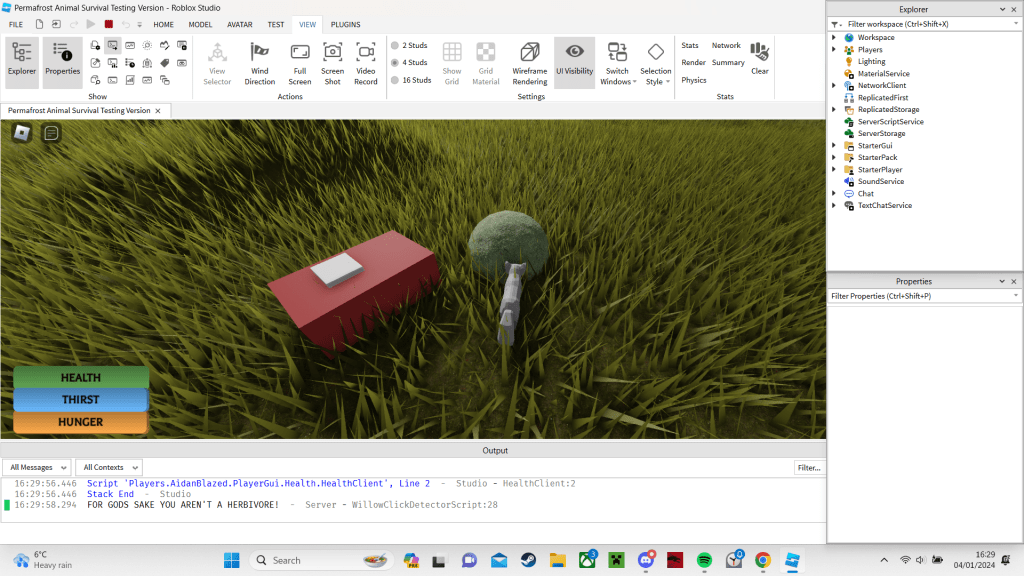
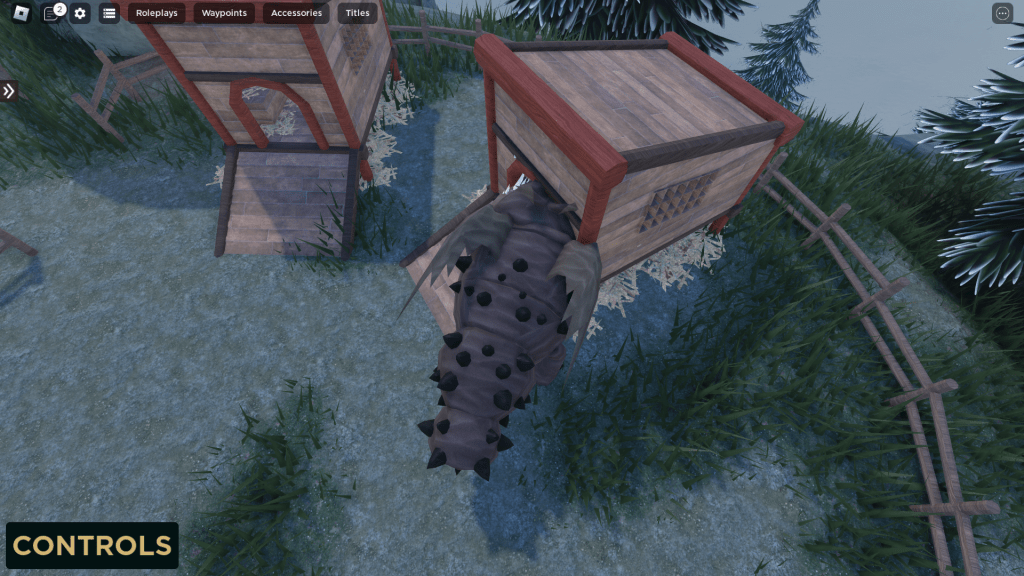
The game shown in the pictures is Permafrost, a project I have been working on for almost a year as of writing. Thank you for reading my blog, and I hope you found it useful! If you have any problems with the code leave a comment detailing your problem, I might be able to help you :>


 AidanBlazed
Leave a comment